Here’s a thing you can now do in a spreadsheet: push a real OCI container image into it, and pull it back out. Not a link to an image, not metadata about an image — the actual layers, stored as base64 across cells, addressed by sha256, reassembled byte-for-byte on the way out. SheetHub, our GitLab-style forge that runs on a Google Sheet, just grew a container registry, and the whole thing lives in cells.
This post is a look at how it works and why it’s more than a gag.
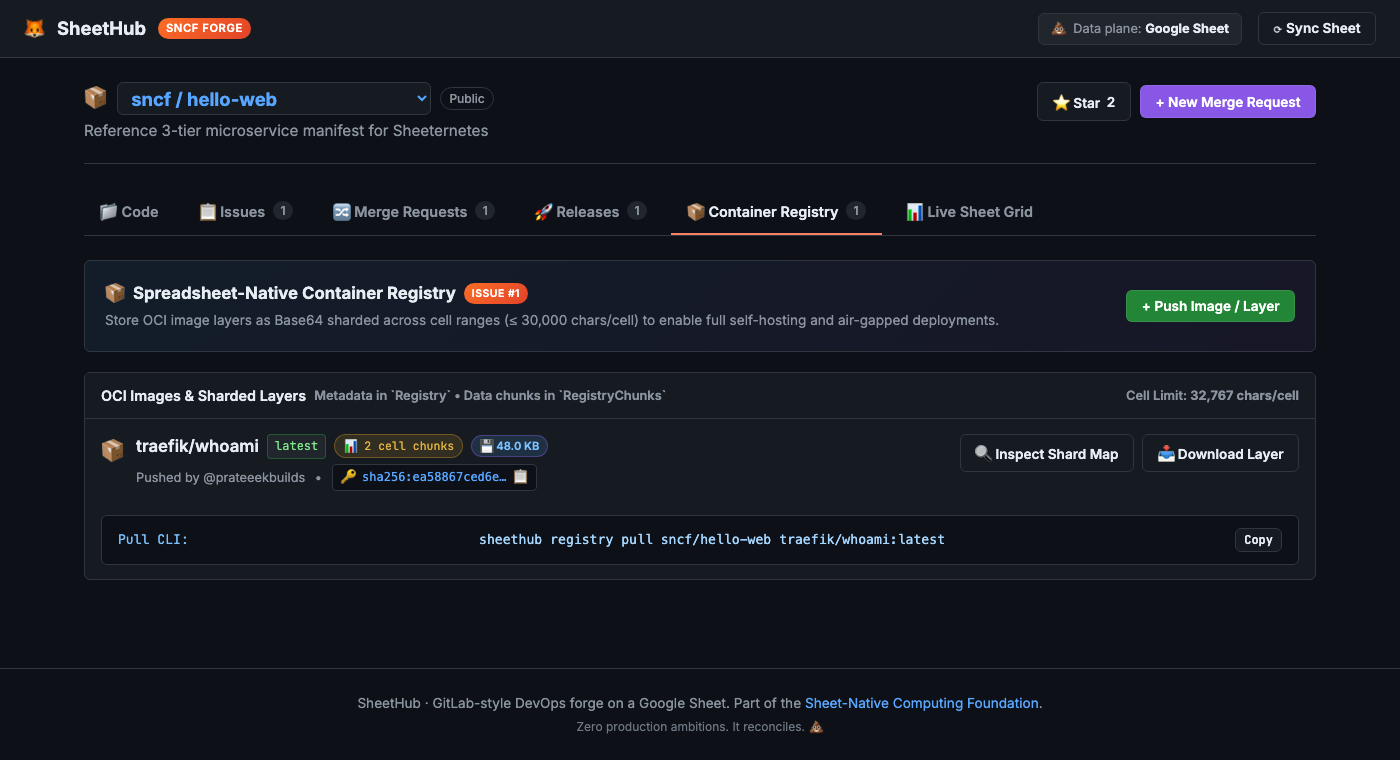
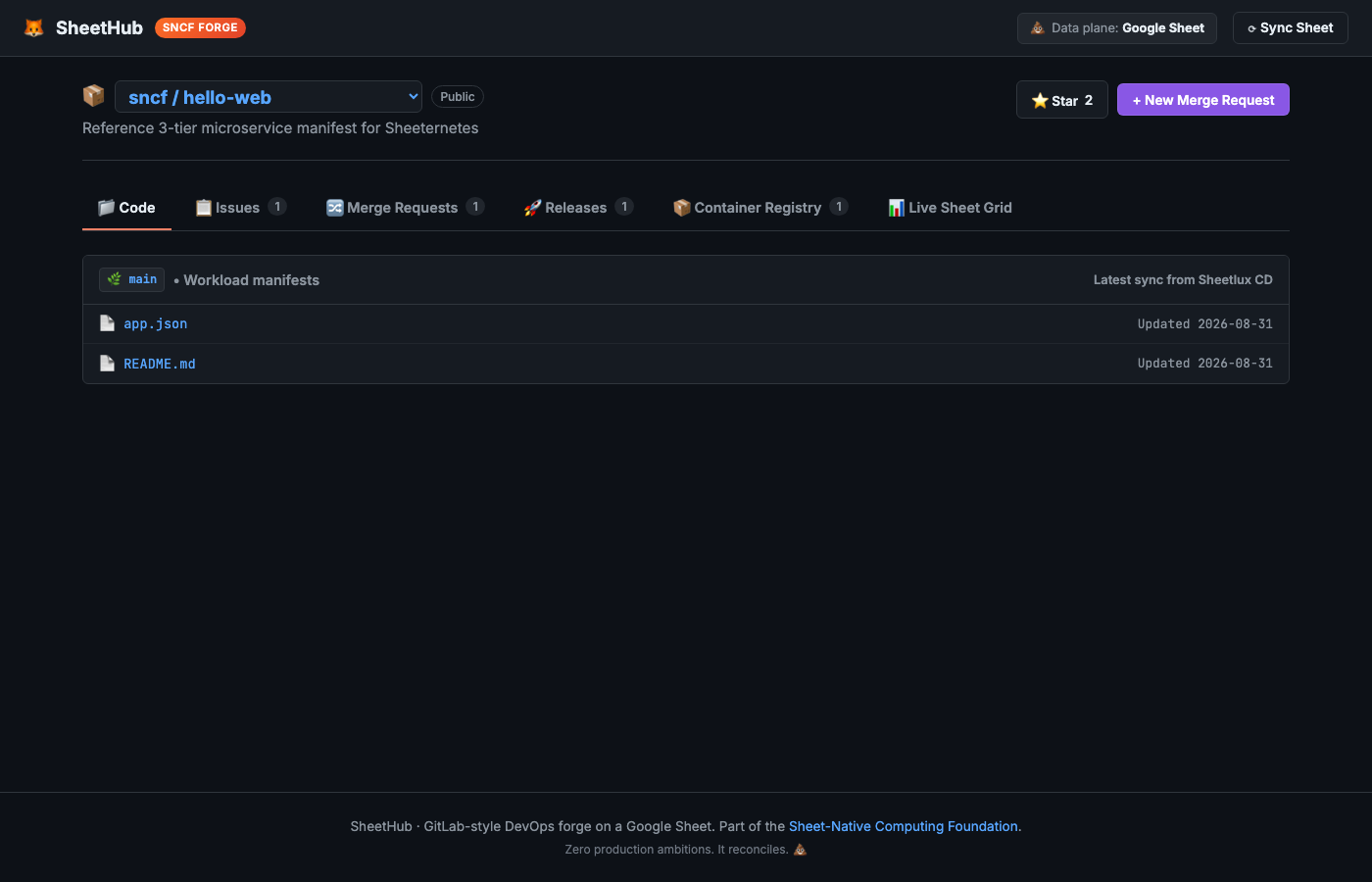
New here? SheetHub is a DevOps forge — repos, issues, merge requests, releases — that stores everything in a Google Sheet’s tabs. It’s part of the Sheet-Native Computing Foundation (SNCF), a working parody of the CNCF where the whole stack lives in spreadsheets: an orchestrator (Sheeternetes), a container image format (SICF), certification, live demos. sncfoundation.github.io · github.com/sncfoundation
What it is
A container registry is, stripped of ceremony, a content-addressed blob store plus a bit of metadata: image layers keyed by their sha256 digest, and a manifest that says which layers make up which image. Docker Hub keeps those blobs in object storage. This registry keeps them in spreadsheet cells.
Two tabs do the work:
Registry— one row per image:repo,name,tag,digest,size, chunk count, who pushed it, timestamps. The metadata.RegistryChunks— the layer bytes themselves. Each layer is base64-encoded and sliced into chunks of ≤30,000 characters, one per cell, each row carrying the layer’s digest and its chunk index.
Why chunked? Because a spreadsheet cell has a hard character limit — 32,767 in Excel, 50,000 in Google Sheets — and a real layer is far bigger than one cell can hold. So the layer is sharded across a contiguous run of cells and stitched back together on read. The digest is computed over the reassembled bytes, so a single corrupted cell fails the sha256 check instead of silently handing you a broken image.
That’s the whole trick, and it’s the same principle as OCI — content addressing by sha256 — with the least appropriate storage medium imaginable.
Seeing the bytes
The part I like most is that the storage isn’t hidden. Every registry is just cells you can open and look at, and the UI leans into that. Click Inspect Shard Map on any image and it shows you the exact cells the layer occupies:
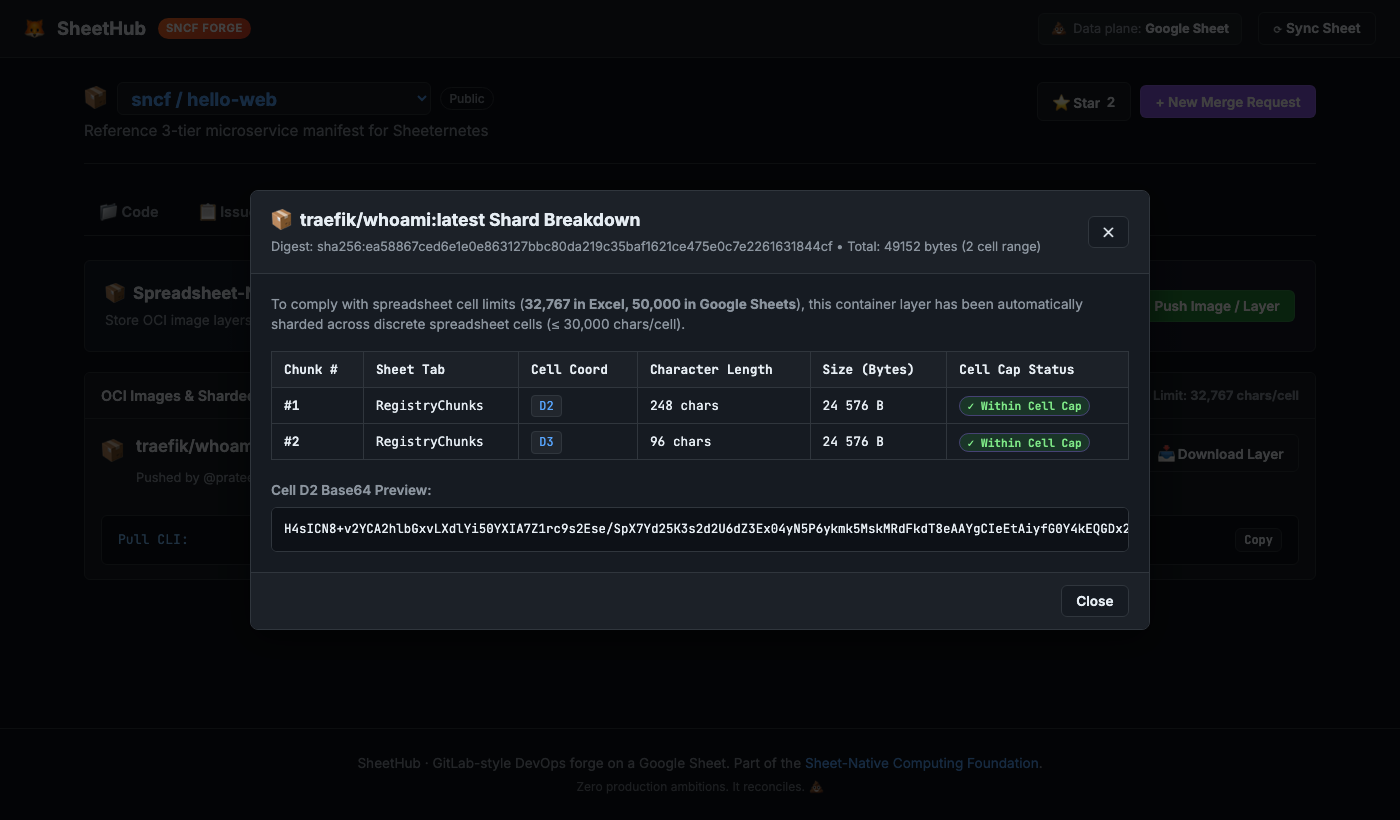
That’s traefik/whoami — a real image — living in cells
D2 and D3 of the RegistryChunks
tab, 49,152 bytes across two chunks, each comfortably under the cell
cap, each showing its base64 preview. There’s no abstraction between
“the registry” and “the spreadsheet.” The registry is the
spreadsheet, and you can point at the cell a byte lives in.
Pushing and pulling
It behaves like a registry should. There’s a CLI:
sheethub registry push  sncf/hello-web  traefik/whoami:latest  layer.tar
sheethub registry pull  sncf/hello-web  traefik/whoami:latest  out.tar
sheethub registry view  sncf/hello-web  traefik/whoami:latest
sheethub registry list  sncf/hello-web
push base64-encodes the layer, computes its sha256,
shards it across cells, and writes the manifest row. pull
reads the chunks back in order, joins them, recomputes the
digest and verifies it, and decodes the binary layer. The
digest is authoritative and server-computed, so you can’t store content
under a digest that doesn’t match its bytes. Same guarantee a real
registry gives you, enforced by the same hash.
And because the whole store is a single spreadsheet, this is a
genuinely air-gapped, self-hostable registry: no object
storage, no Harbor, no external service. One sheet is both the forge and
the image store. For the small images this is actually good for — static
binaries, scratch/alpine, WASM modules —
that’s a real property, not just a punchline.
The honest limits
It would be dishonest to skip these, and we load-tested them already: a spreadsheet registry is for small images. The cell cap forces the sharding; the workbook’s 10-million-cell ceiling and the Sheets API write quota (~60 writes/min/user) bound how much you can push and how fast. A multi-hundred-megabyte image technically fits but makes the file heavy and the pushes slow. This is a registry for the things that belong in cells, not a Docker Hub replacement — and it knows it.
There’s also a nice detail we verified while shipping this: a base64
chunk can legitimately begin with a +, which a spreadsheet
would try to read as a formula. The registry escapes those cells so the
sheet doesn’t execute them, and the escape round-trips byte-identical —
so the sha256 still verifies. Content addressing keeps everyone honest,
including the storage layer.
Where it fits
The bigger picture: SNCF already stores images in cells via
SICF (our Sheet-Native Image Container Format), and
Sheeternetes can schedule and run a sicf: image straight
from a sheet. This registry is the forge-facing front door to that same
idea — push through SheetHub, and the plan is to make those images
pullable by sheetbuild and the Sheeternetes runtime
directly, so a forge and a cluster share one on-sheet image store. That
alignment is the next step.
The registry shipped as an external contribution from prateeekbuilds (who also built SheetHub itself) — a genuinely impressive piece of work, 50-plus tests and all. Thank you.
Do not run a production registry on a spreadsheet. Do open the shard map — it’s the clearest look at content-addressed storage you’ll get, because you can point at the cell.
Join in
- SheetHub: github.com/sncfoundation/sheethub
- The container standard (SICF): github.com/sncfoundation/sci
- The foundation: sncfoundation.github.io · github.com/sncfoundation
- Slack sheetncf, Telegram t.me/stncf, LinkedIn company/sheetncf
It reconciles.